
IC Measure measures on-screen lengths, angles, circles and polygons and captures images
IC Measure is a versatile, high-performance end-user application for the measurement of lengths, surfaces and angles. Its simple user interface also provides image capture and image enhancement functions.
Key features
- On-screen calibration and measurement
- Tools for manual measurement of lengths, angles, circles and polygons
- Freely configurable annotations (color, font and line width)
- Optical distortion correction
- Save image sequences (BMP, PNG, TIFF, JPEG)
- ‘Supports all cameras and frame grabbers from The Imaging Source
Calibration
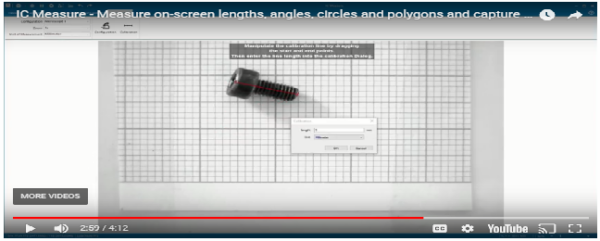
The IC Measure calibration tool makes it possible to choose the scale of an image (µm – km). The software can be calibrated using an object micrometer (microscope) or with an object of known size.
On-screen measurement
The measurement tools are designed for macroscopic, as well as microscopic applications. The complete integration of image capture and image enhancement makes the manual measurement of lengths, angles, circles and polygons especially efficient. The seamless zoom function allows for pixel perfect measurement. All measurements and settings made with IC Measure can be saved for further use.
Annotation tools
IC Measure offers a variety of annotation tools, which allow the user to add texts, graphics and marking arrows. Text can be positioned within the image as needed. In addition, the graphic tools make it possible to draw lines, rectangles, ellipses and polygons on every captured image. Colors, fonts, and line widths are completely adjustable. The annotations can be inserted into separate layers so that the original image remains unchanged.
Correction of lens distortion
The lens distortion filter allows for the efficient correction of barrel, pincushion, and vignetting distortions. Furthermore, relevant details can be emphasized using the image processing and optimization routines, such as histogram comparison.
Save images, video streams and annotation data
IC Measure can save singular images and image sequences to BMP, TIFF, JPEG and PNG, and video data streams to AVI files. All annotation data can be exported to CSV files.
Camera settings
All camera settings, such as exposure time, image refresh rate, focus, noise reduction, contrast, brightness and saturation can be set using IC Measure and then saved for future applications.